Local-first corporate minutes and minute book software for Mac and Windows. Your name and logo in the workspace. Your records on your computer. 40 editable templates included. One purchase, no subscription.
Choose the Windows edition in Microsoft Store or buy the Mac edition directly. Each platform is a separate one-time purchase.
Import existing data or start fresh. Set up directors, shareholders, and documents.
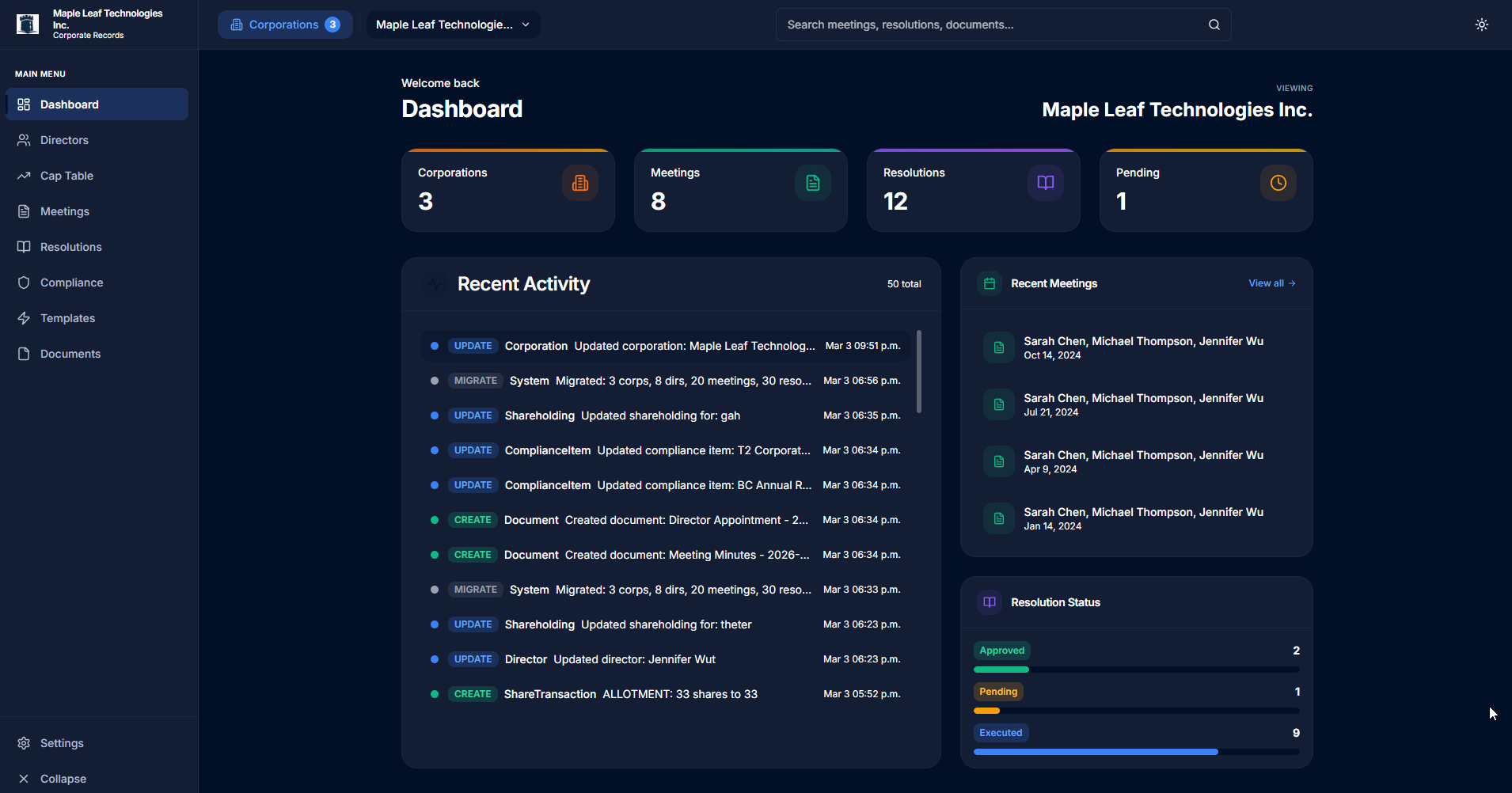
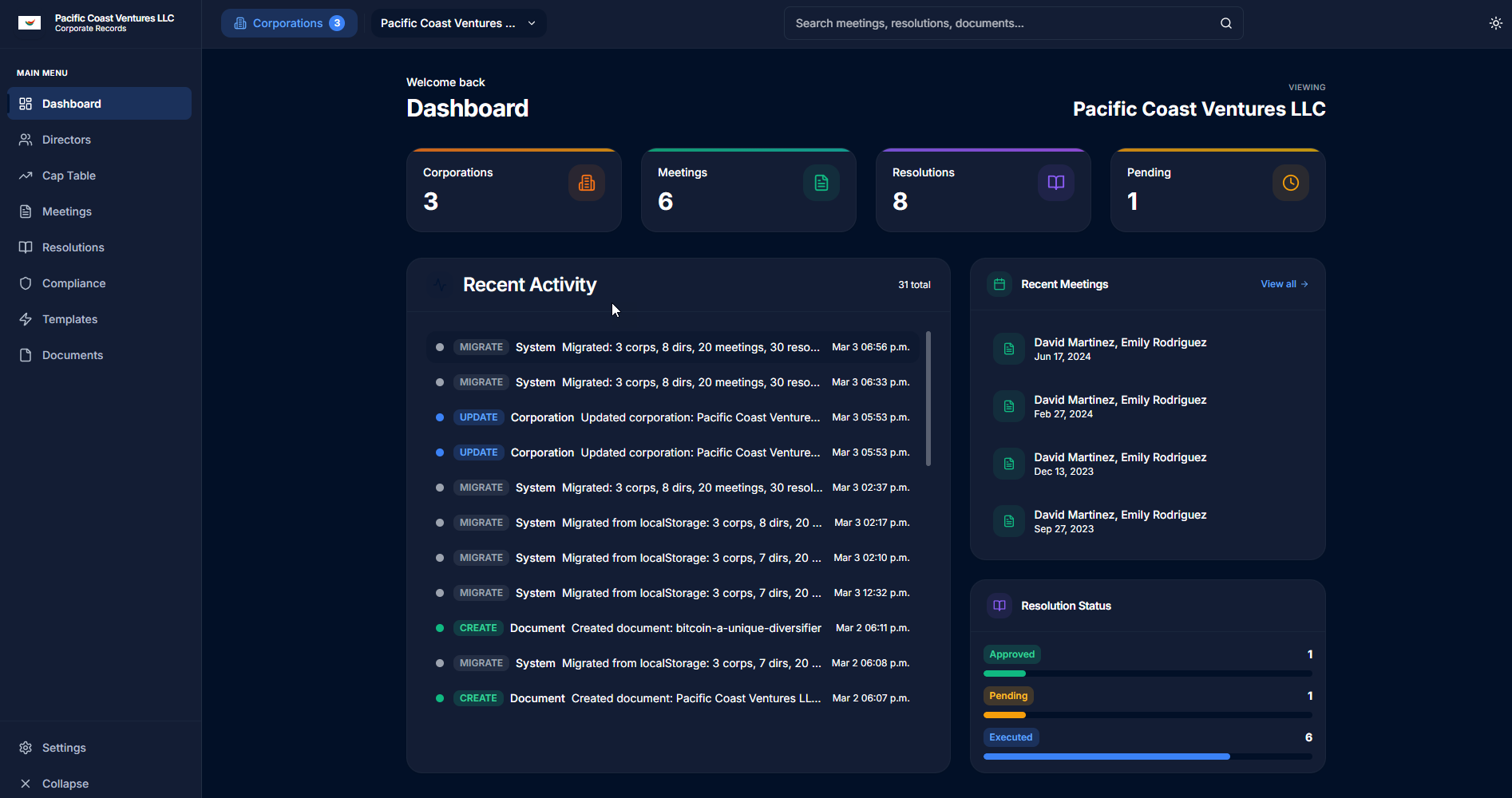
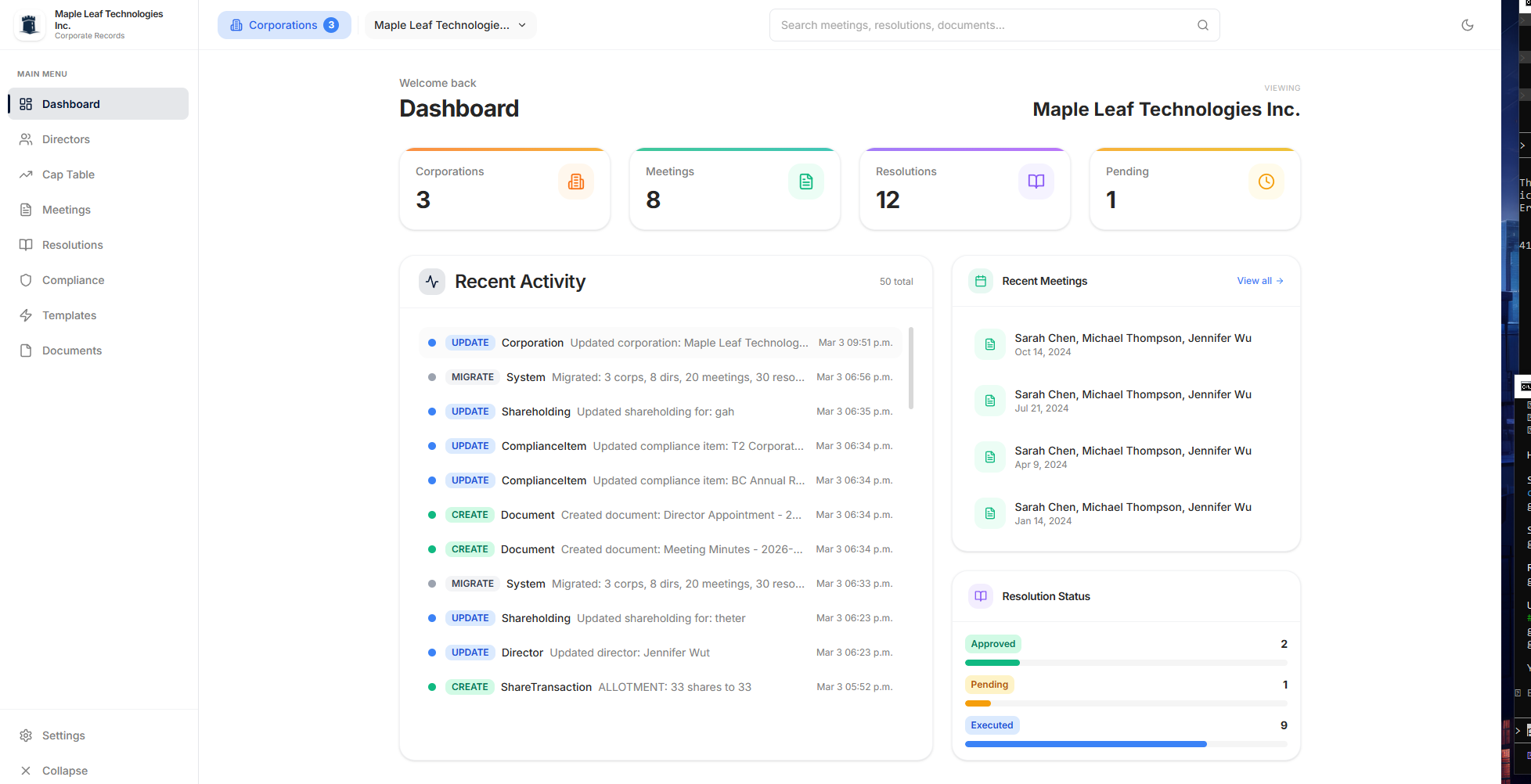
Track meetings, resolutions, and compliance items in one structured workspace.
Your corporate records stay on your computer. There is no cloud account, analytics, or tracking, and we cannot access the content of those records.
Add your corporation's name and logo inside the app. Make the workspace feel like your business, not someone else's.
A lasting license to the version you buy. No monthly software bill and no separate template subscription.
Export documents as PDFs and back up your records, including uploaded files. You choose where to keep your copies.
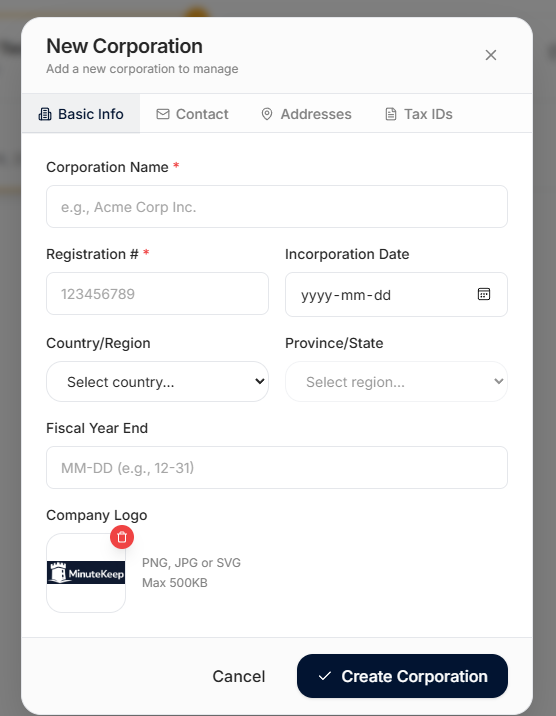
Change your corporation's name and add your logo right inside the program. With a logo added, your company name and mark appear in the sidebar. No designer. No extra branding package.
Choose light or dark mode and a color theme to finish your workspace.
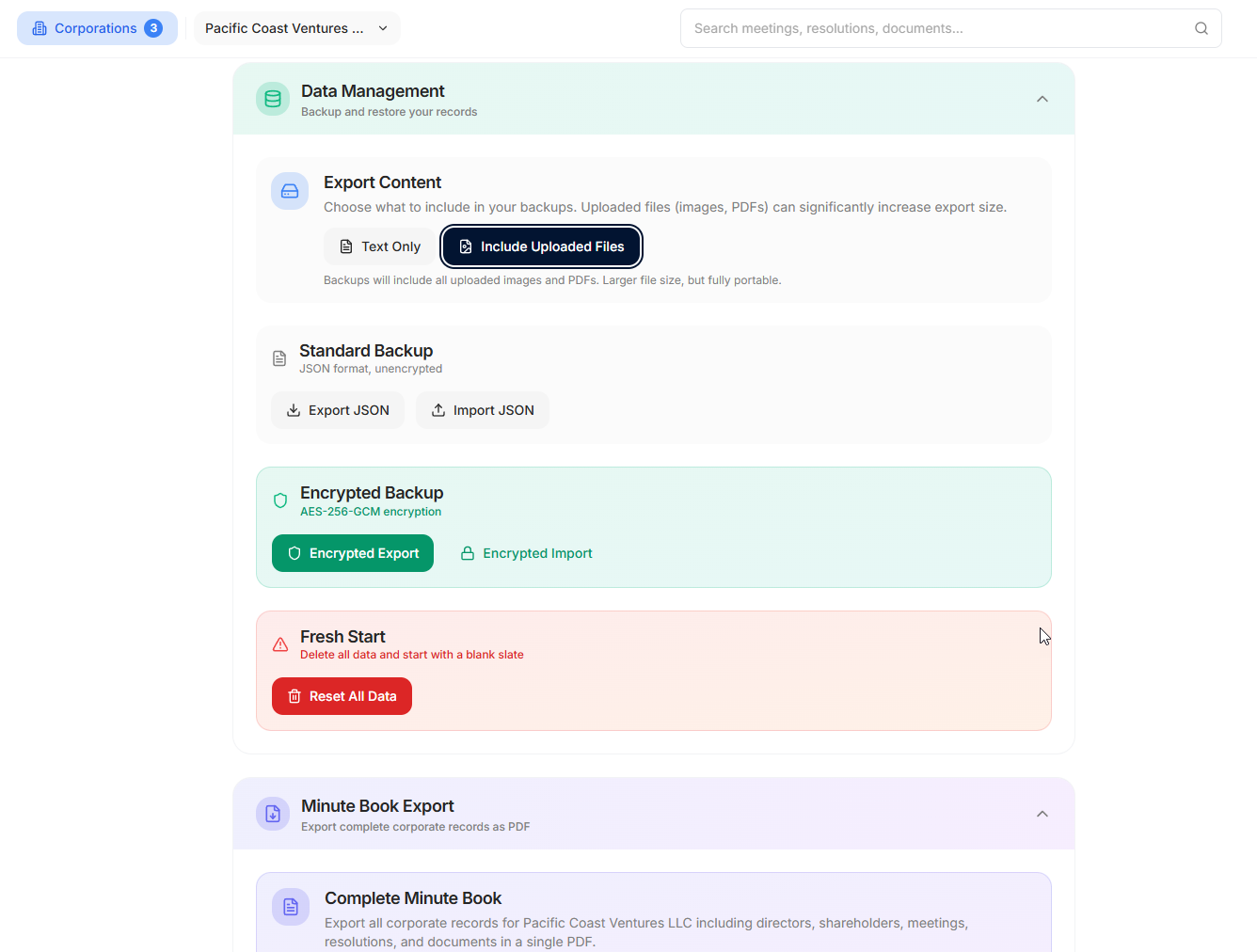
Keep your corporate records on your own computer. Export PDFs to share, make a full backup with your uploaded files, and choose an encrypted backup when you want a password-protected copy.
Standard backups are unencrypted. Restoring replaces current data, so save a backup first.
Read the backup and restore guide →
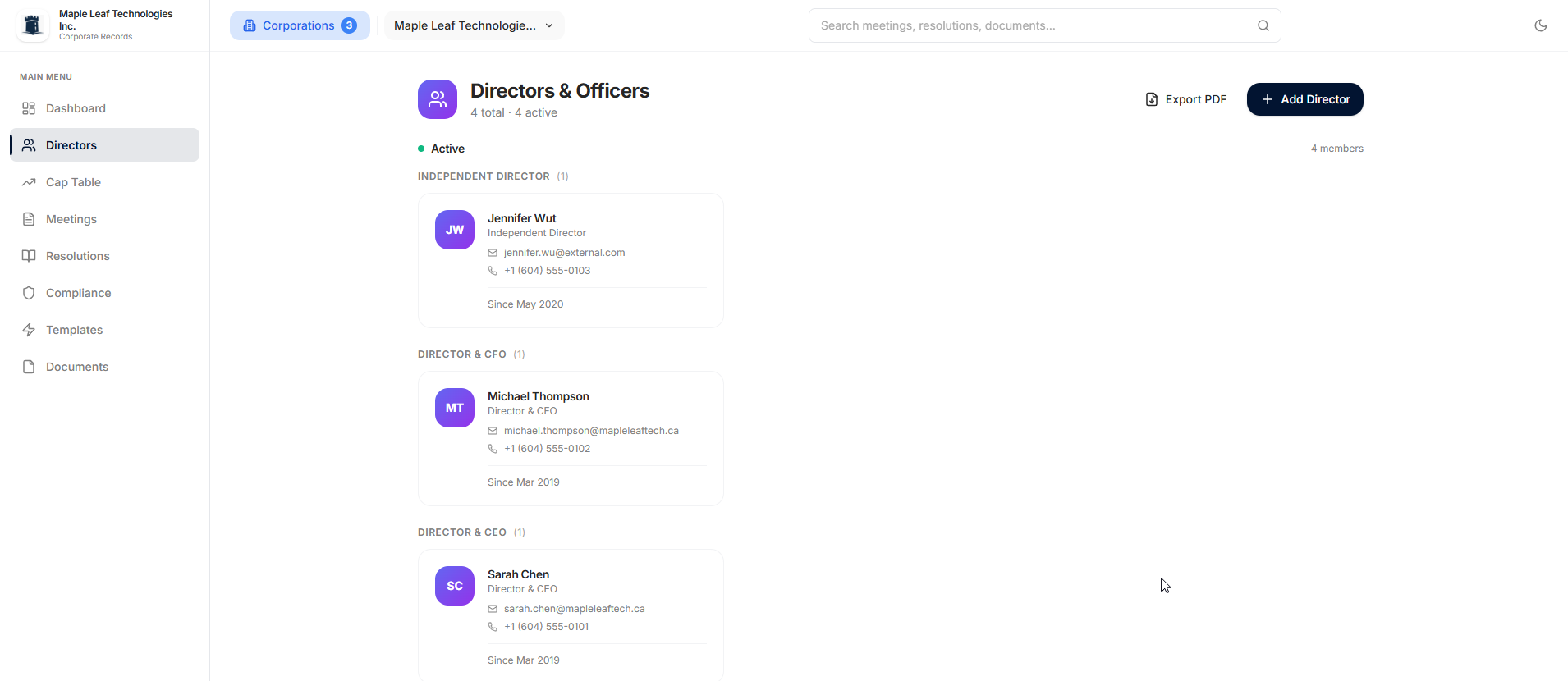
Keep a complete register of directors and officers. Track appointments, resignations, contact information, and tenure. Categorize by role—CEO, CFO, Independent Director—and maintain accurate records for compliance.
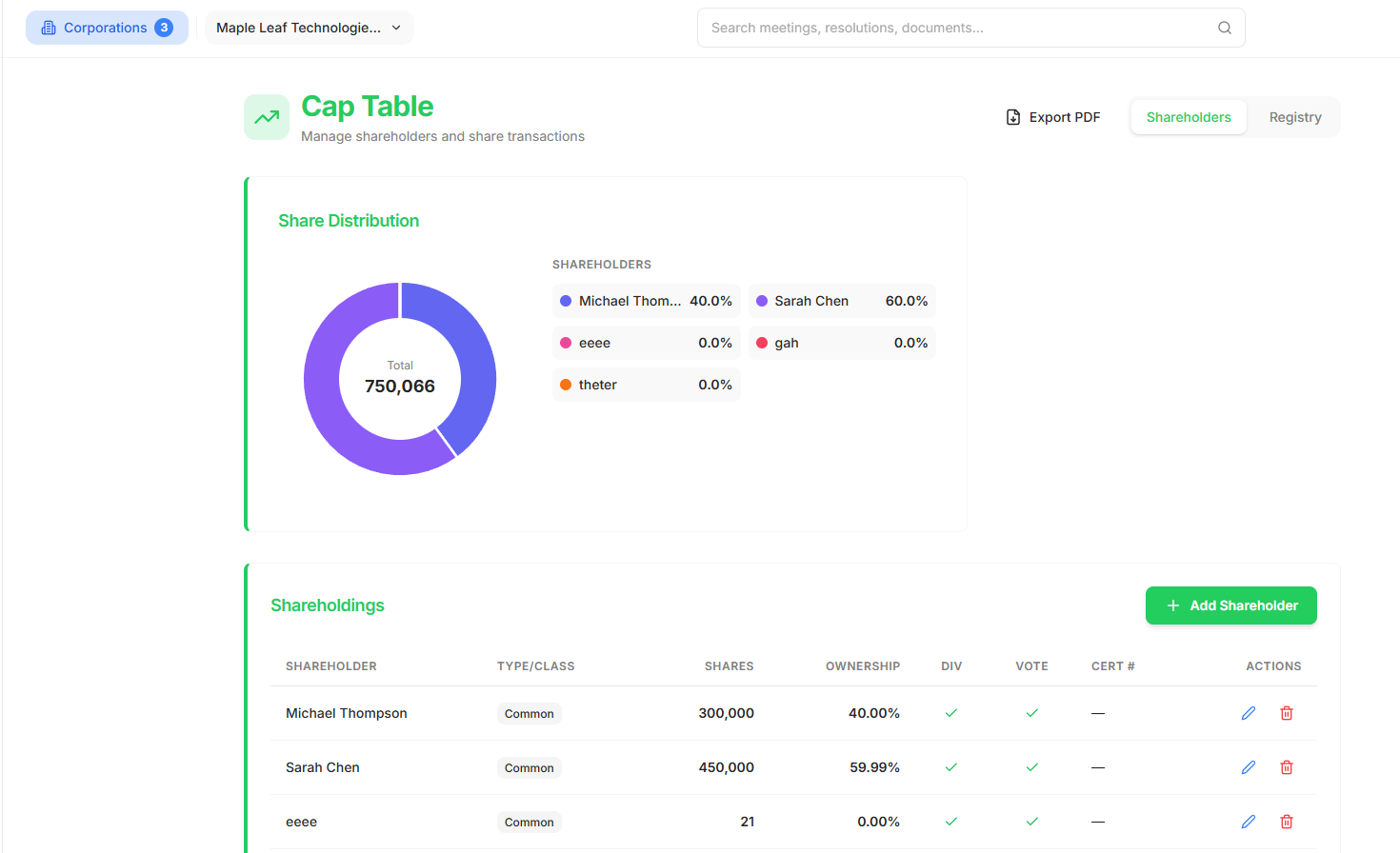
Visualize share distribution with interactive charts. Track multiple share classes, record transactions, manage certificate numbers, and calculate ownership percentages automatically. Export to PDF for investor reporting.
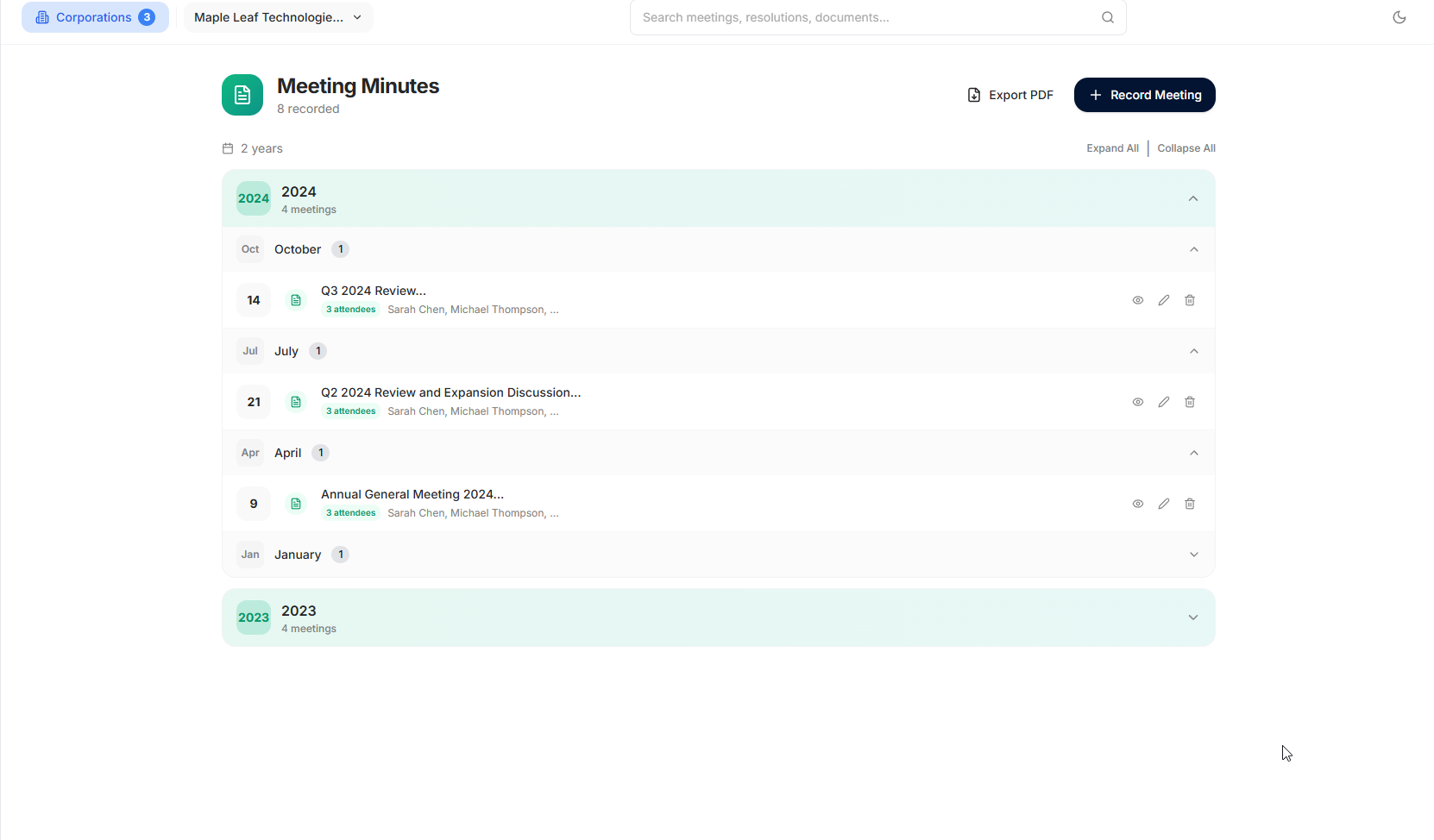
Document board and shareholder meetings with structured minute templates. Track attendees, record motions, and link to resolutions. Organize by year and month for easy retrieval. Export professional PDFs.
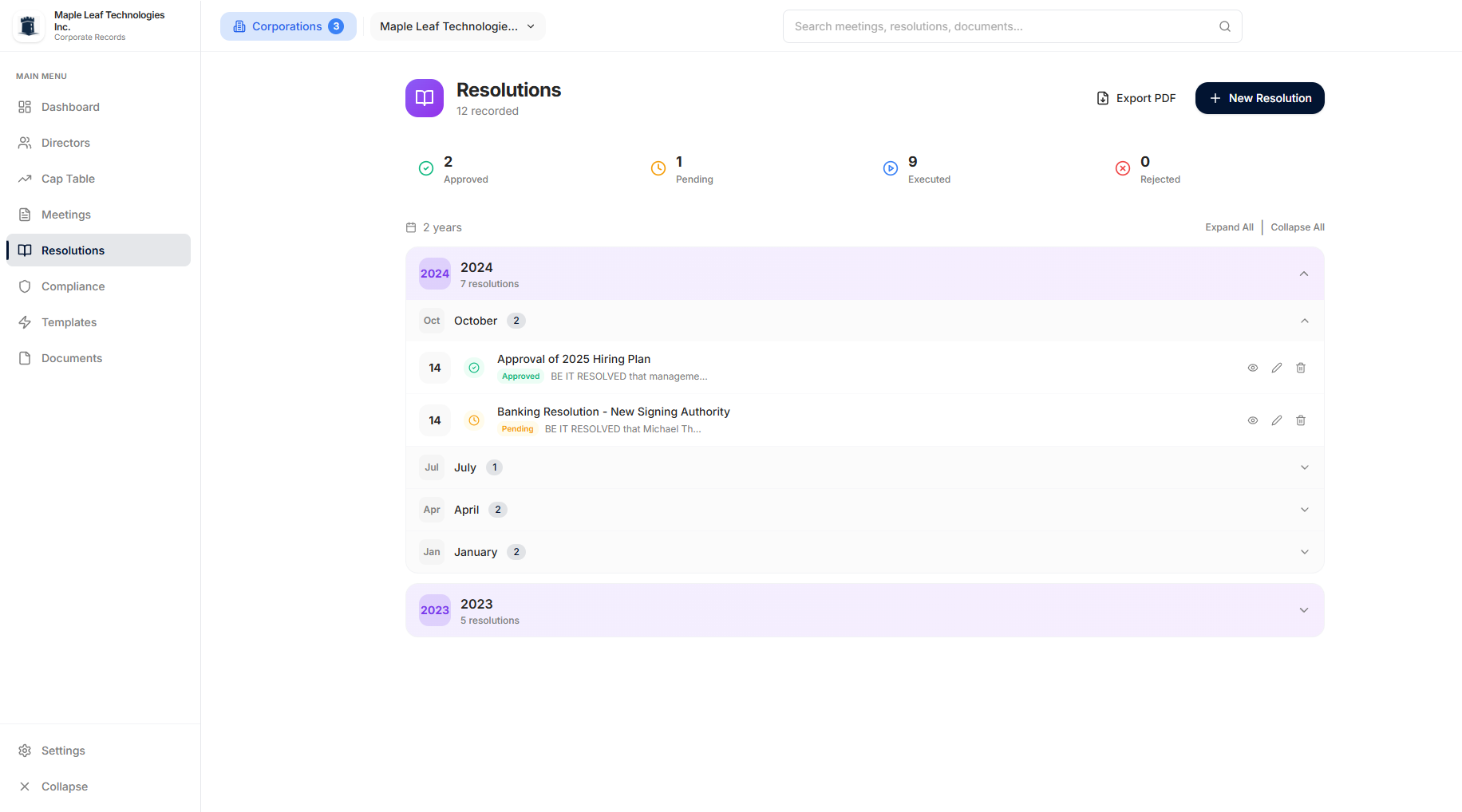
Manage corporate resolutions from draft to execution. Track status—Pending, Approved, Executed, Rejected—and review the local activity history. Organize by year and find resolutions with search.
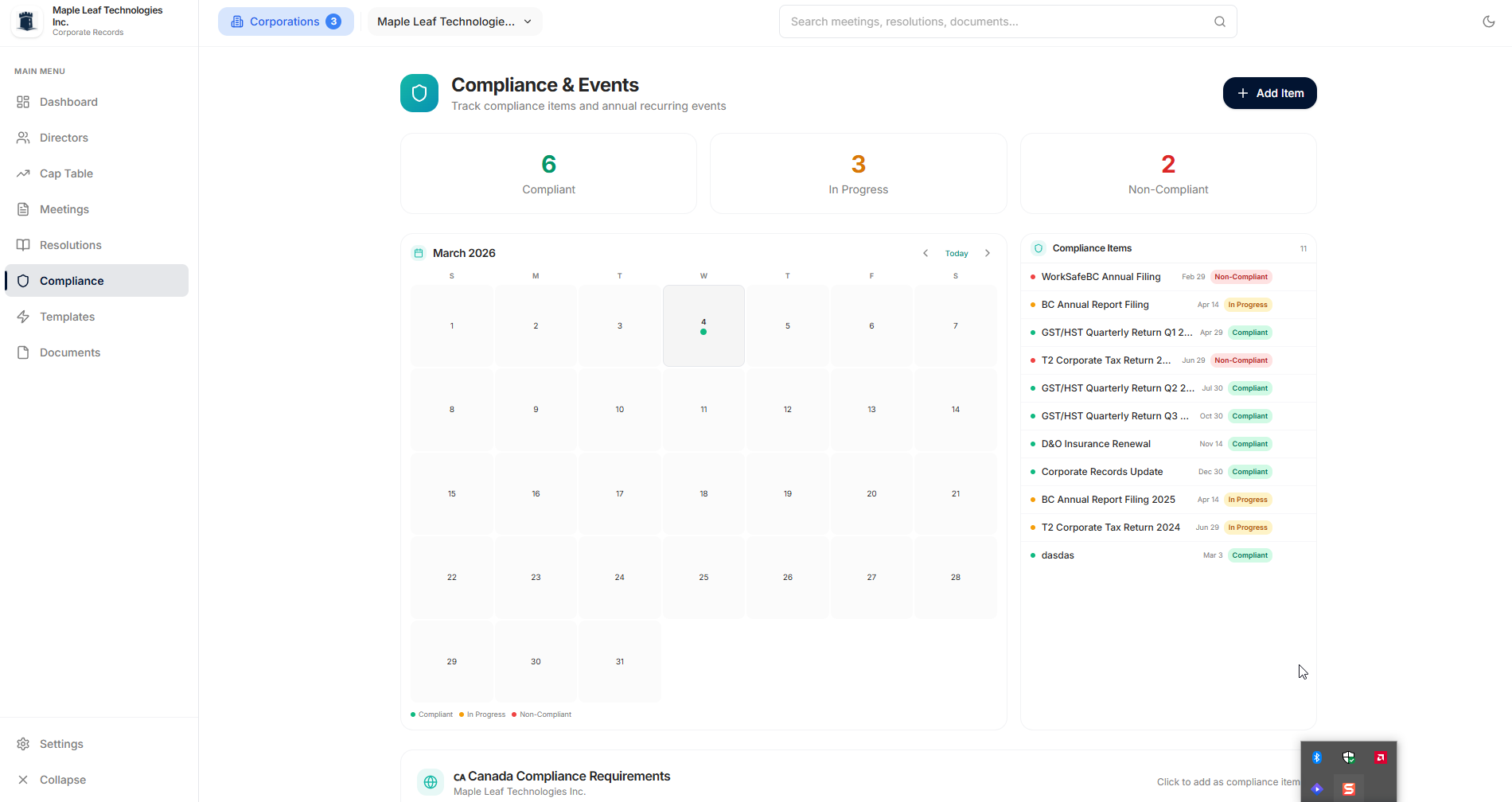
Use the calendar to track upcoming filings and custom reminders for Canada, the US, the UK, and the EU. MinuteKeep helps organize dates but does not file forms or guarantee on-time compliance.
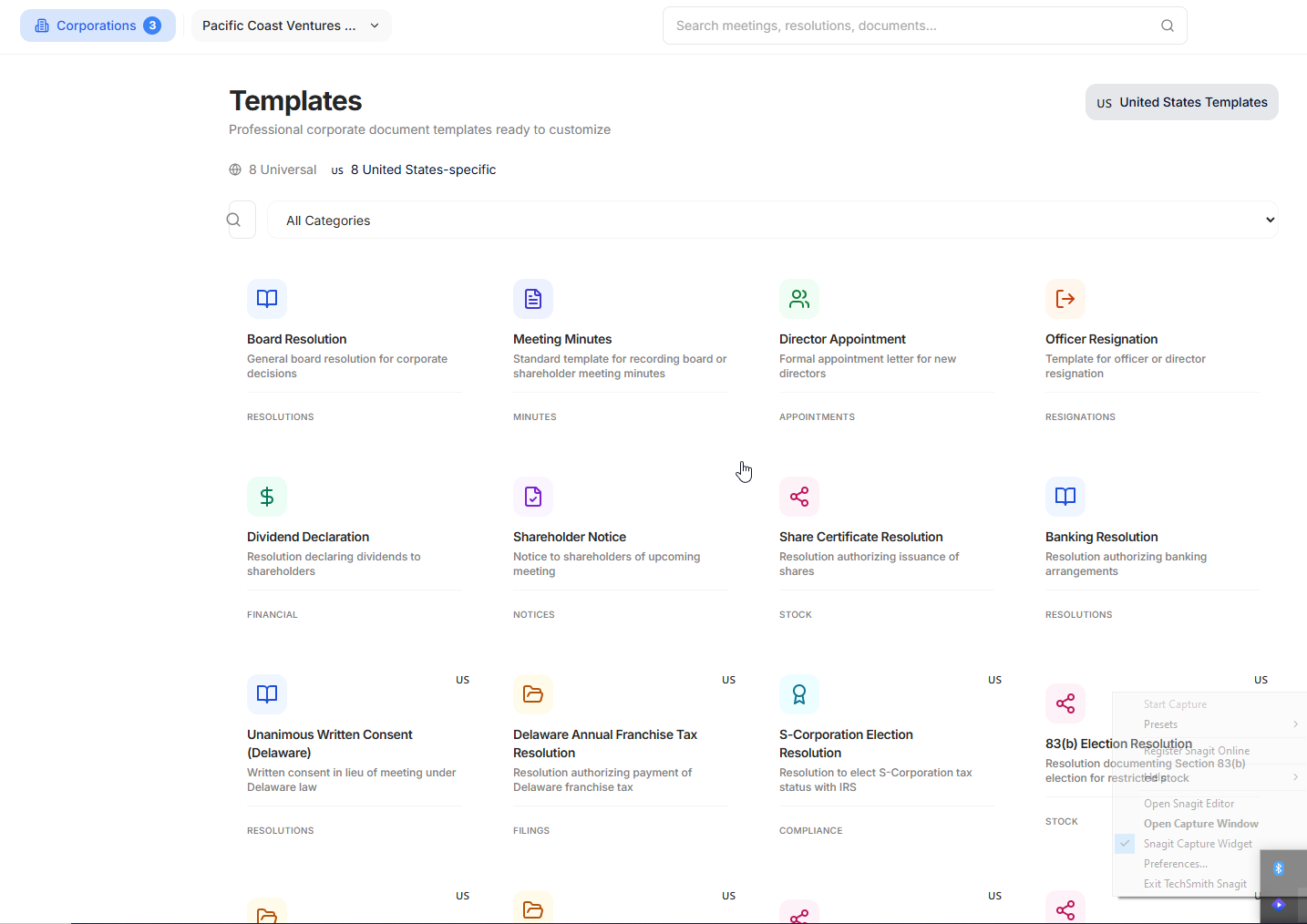
Start with 40 editable templates across 9 action categories. Select a corporation and MinuteKeep shows the templates relevant to its jurisdiction.
Not another library subscription. All 40 templates come with MinuteKeep. No separate template pack and no per-template charge.
Some document services charge for ongoing library access or individual documents. LawDepot, for example, offers subscription and per-document options. MinuteKeep's included library is smaller and focused on corporate records—not a replacement for legal advice.
The library contains 8 universal templates plus 8 each for Canada, the United States, the United Kingdom, and the European Union. Jurisdiction-specific template bodies are English-language informational starting points and should be reviewed by a qualified professional.
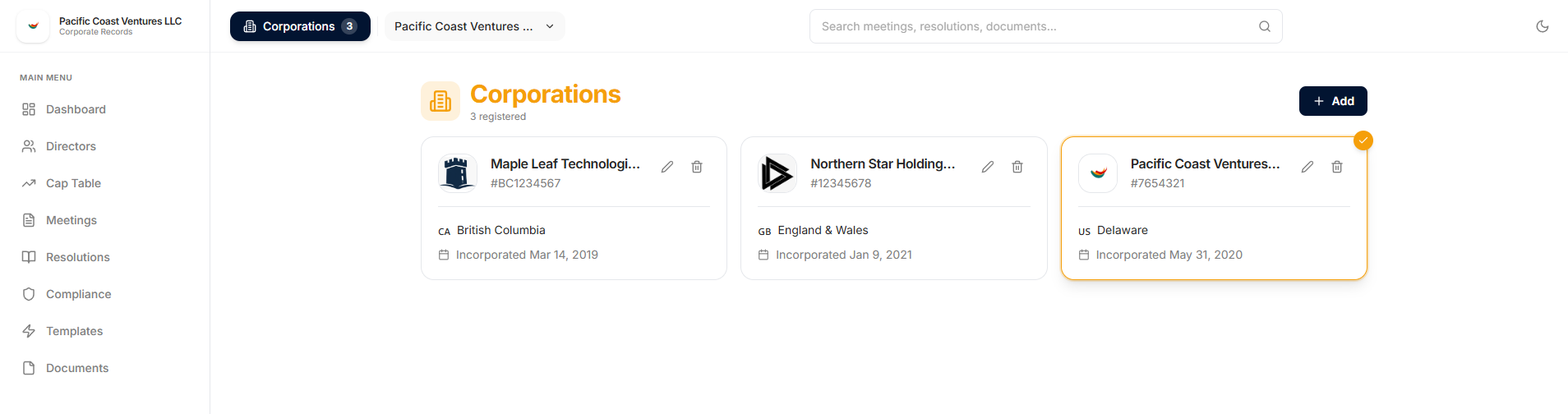
Manage multiple entities and switch between them quickly. Records are organized by corporation within the same local database.
Full dark mode support for comfortable viewing in any environment. Switch themes instantly or let the app follow your system preferences. Multiple color themes available to match your style.
Compare MinuteKeep's local-first model with common hosted SaaS patterns.
| Feature | MinuteKeep | Typical Hosted SaaS | Paper Binders |
|---|---|---|---|
| Pricing | One-time purchase | Often recurring per-user or per-entity pricing | Supplies cost |
| Data ownership | Corporate records stored locally | Provider-hosted | Physical |
| Privacy | No MinuteKeep account | Account usually required | Depends on physical access controls |
| Works offline | Core records available offline; direct edition periodically validates | Varies by provider | Always |
| Vendor lock-in | Export anytime | Export depends on provider | None |
| Search | Instant | Instant | Manual |
| Audit trail | Local activity log | Digital logs | None |
| Compliance alerts | Automated | Automated | Manual |
| Multi-corporation | No fixed product limit | May charge per entity | More binders |
No. MinuteKeep stores your corporate records locally in a SQLite database on your Windows PC or Mac. It does not upload those records to Microsoft Store or the direct Mac licensing service.
MinuteKeep imposes no fixed corporation count. Practical capacity depends on your computer and storage. Records are organized by corporation within the same local database; they are not separate security containers.
MinuteKeep includes informational templates and compliance tracking for Canada, the United States, the United Kingdom, and the European Union, with references to frameworks such as the CBCA, Delaware law, Companies Act 2006, and EU directives. Verify every requirement and document with a qualified professional.
Yes. All 40 editable templates are included with MinuteKeep—there is no separate template pack or per-template charge. The app shows the universal and jurisdiction-specific templates relevant to the corporation you select.
No. MinuteKeep is a one-time purchase for the platform you choose, with no monthly fee or annual renewal.
Windows purchases are tied to your Microsoft account. A Mac purchase from this website includes one perpetual key that can be active on two Macs at a time.
Your corporate records are stored locally and remain exportable. Microsoft Store manages the Windows entitlement; the direct Mac edition provides a bounded offline grace period after successful license validation.
No. MinuteKeep is a record-keeping and document management tool. While we provide templates and compliance reminders, these are for informational purposes only. Always consult with qualified legal professionals for advice specific to your situation.
Email us at [email protected]. You can also check our documentation for detailed guides on all features.
No. MinuteKeep does not offer a free trial or a voluntary 14-day refund window. Digital purchases are final except where a refund is required by applicable law or expressly provided in the Terms.
Microsoft Store installs Windows updates. The Mac version checks Ownerstate Software's signed update feed. Maintenance, security, compatibility, or feature updates may be provided for the purchased version.
Yes. You can export individual documents as PDFs and generate a minute-book summary PDF listing core corporate records. A full JSON or encrypted backup preserves the complete MinuteKeep dataset for restore.
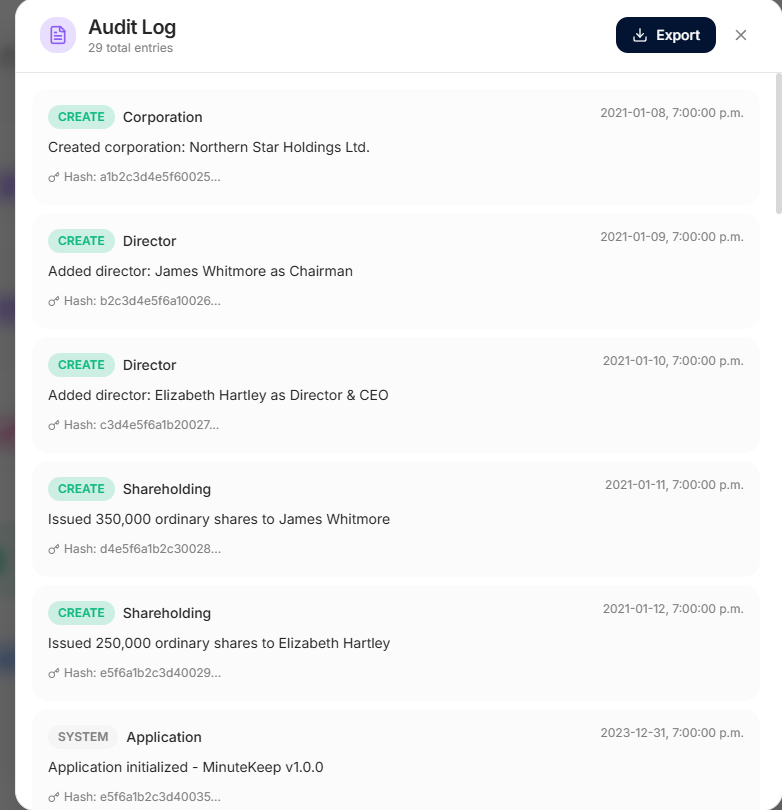
No. MinuteKeep records application activity for review, but the audit trail is stored in the same local SQLite database. Someone with direct access to those files can modify local data, so use operating-system permissions, device encryption such as FileVault or BitLocker, and regular backups.
The application interface is available in 9 languages: English, French, Spanish, Japanese, Korean, Simplified Chinese, Traditional Chinese, Arabic, and Hindi. Jurisdiction-specific legal template bodies currently remain in English and should be professionally reviewed before use.
MinuteKeep stores corporate-record content in a local SQLite database instead of a MinuteKeep-hosted document cloud.
Keep directors, meetings, resolutions, ownership, compliance dates, documents, and activity history in one organized workspace.
Create full backups, export individual documents, and generate summary PDFs without depending on an active subscription.
One-time purchase. No subscription.
Purchase through Microsoft Store. Your license is managed through your Microsoft account.
Buy for WindowsYour data is yours. No MinuteKeep account required. No cloud lock-in.
Purchase directly from this website. Your license is managed with your MinuteKeep license key.
Buy for MacYour data is yours. No MinuteKeep account required. No cloud lock-in.
Choose the version for the computer you use. A Windows purchase does not include the Mac version, and a Mac purchase does not include the Windows version.
Designed for professional recordkeeping
No subscription or hosted record cloud. Keep your corporate-record content locally and export it using the included tools.